What you’ll be able to do
You understand the shared proposal and can choose your next step without losing contact with the clinic.
Before you start
- A plan shared with your patient account, or the emailed link your clinic sent
- The plan is the one your clinic meant to share
Find the correct proposal
Open the plan from Plans & trips in your patient account, or from the link your clinic emailed you. Check the clinic name and plan title before reading the details. A clinic can prepare a plan without sharing it yet; you only see plans the clinic has shared.
If a plan is missing, ask the clinic to check that your account is linked to their record and that they shared the plan. Using the same email address as the clinic record does not link them by itself.
Read the details and keep a copy
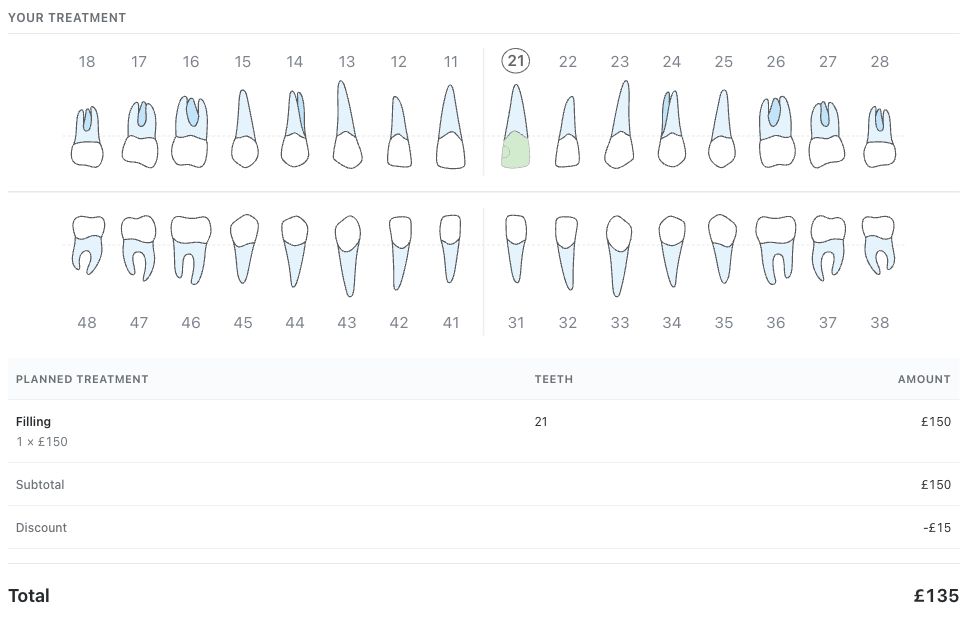
Review the treatment rows, teeth, quantities, total and currency. Use Download PDF to keep a copy. Ask the clinic to explain any treatment term or cost you do not understand.
This guide explains how to use Medquote. Your treating clinician explains whether a proposal is right for you. The tooth chart shows the recorded findings and proposal; it is not a fresh examination.
Ask before responding if something is unclear
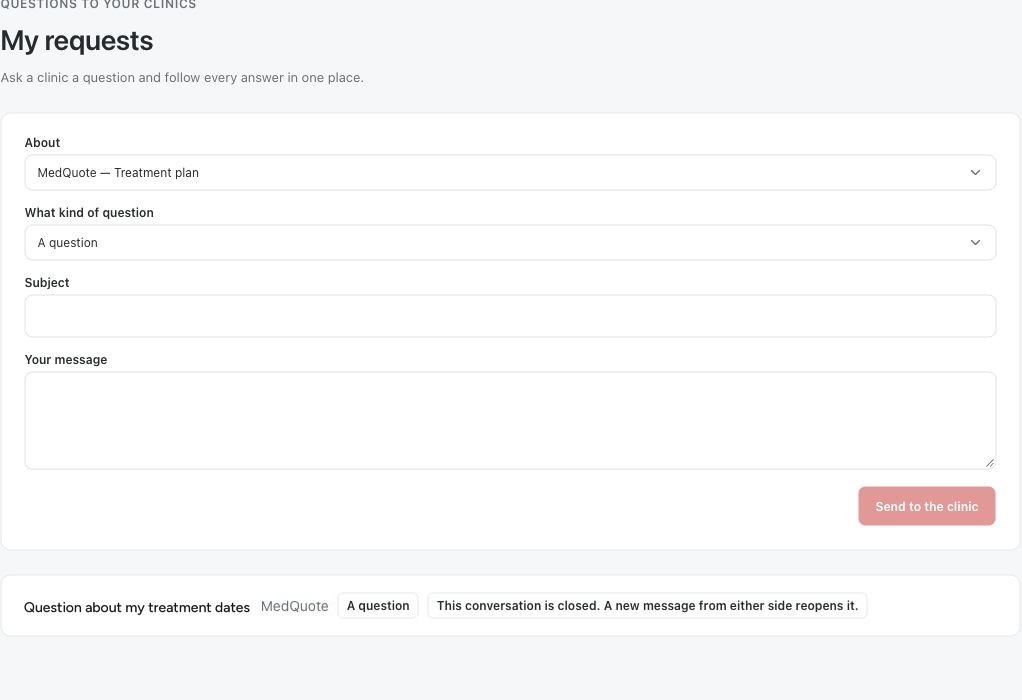
Open My requests and choose the shared plan under About. Describe the part you want explained, so the clinic can reply in the same conversation. Asking a question is a fine next step; you do not have to accept a plan to ask.
- Check the plan and the version you were sent.
- Open My requests when you need an explanation.
- Choose the plan under About, then write a clear Subject and message.
- Come back to the conversation to read the reply.
Accept or decline when you are ready
When the plan can be answered, the page says Review your plan below, then accept or decline. Accept answers straight away. Decline opens a second step where you can add a note for the clinic before you confirm. After answering, the page shows the date you accepted or declined.
If the clinic changes the plan after sharing it, the page shows This plan can no longer be answered, because the clinic will send an updated version. Wait for the new version or ask the clinic what changed.
Questions & answers
Why can I not accept or decline the plan?
Either you have already answered, and the page shows the date, or the clinic has changed the plan since sharing it and will send an updated version. Contact the clinic if you are unsure.
Does reading the PDF accept the plan?
No. Opening or downloading the PDF does not answer the plan. Only Accept or Decline does.
Will the clinic's changes appear in the plan I received?
Not automatically. The plan you received stays as it was shared. After a change, the clinic has the plan approved again and shares the new version with you.
Open the plan your clinic shared
Sign in to your patient account
Use the link your clinic emailed you
Open the private link in the email from your clinic. If the link is missing or no longer works, ask your clinic to share the plan again.
Was this helpful?
Your feedback is saved on this device only.