What you’ll be able to do
Readers can record findings separately from proposed procedures and understand availability messages.
Before you start
- Access to a patient's treatment plan
Record what is observed
The Diagnosis step records findings on the patient's teeth. A finding can cover one selected tooth or several in one action. These entries describe the chart; they do not add a billable treatment step. Record only findings supported by clinical examination.
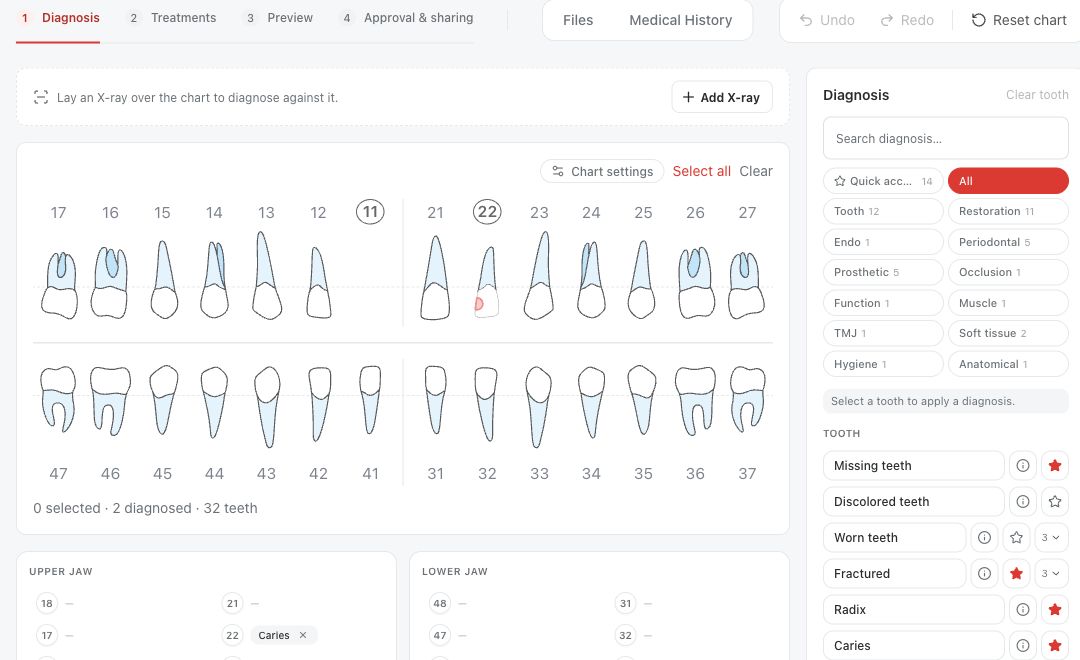
Choose what is proposed
The Treatments step adds planned procedures as separate steps. Medquote combines the current findings and existing plan steps into a derived tooth state, then checks a proposed procedure against the clinic's active procedure rules. If a procedure is not allowed on the selected teeth, the treatment list shows the reason.
For example, the default rules allow a dental implant only where a tooth is missing or has been extracted, and block a new root canal treatment on a missing, extracted or implanted tooth. These are planning checks for proposed steps, not treatment recommendations. Clinic administrators can edit the active rules, so availability can vary by clinic.
- Review or update the findings in Diagnosis.
- In Treatments, select the relevant tooth or teeth and inspect the available procedures.
- Read a blocked treatment's reason before changing the plan.
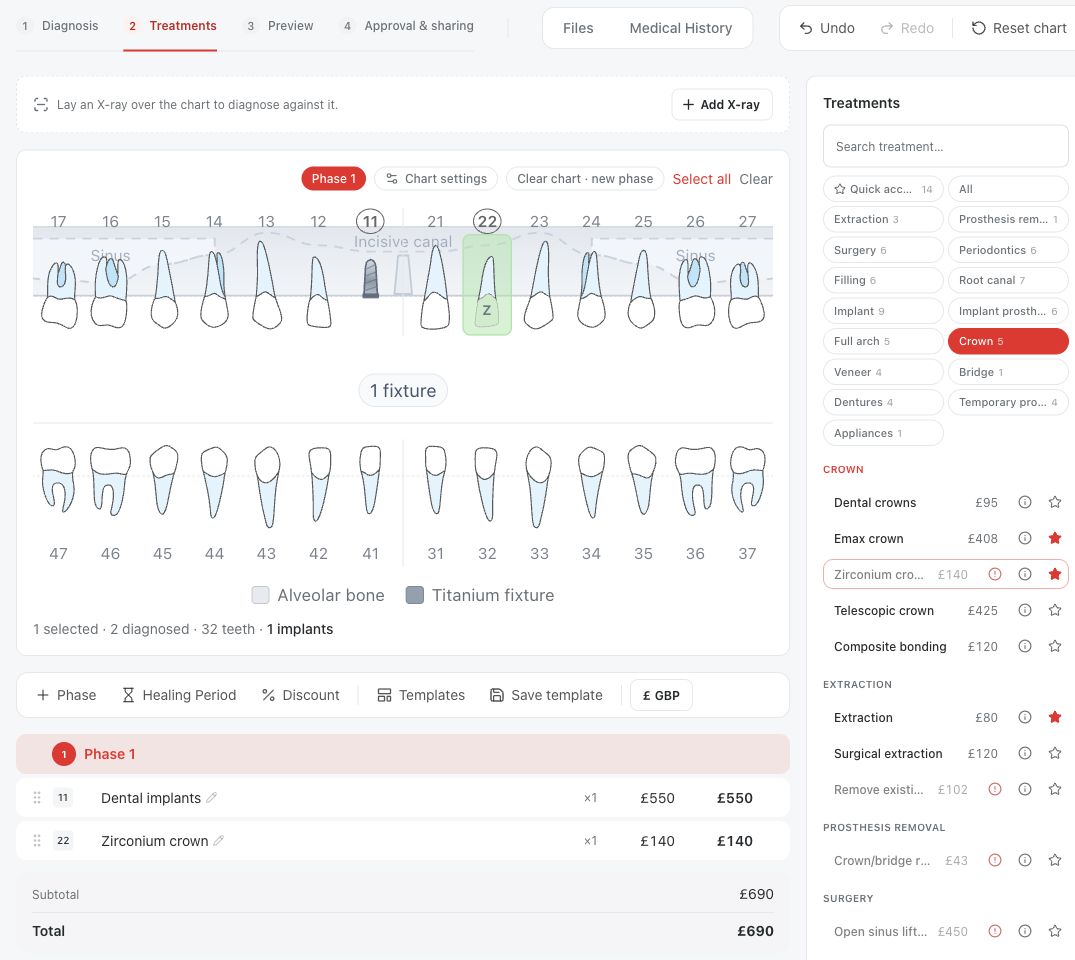
Recheck after a change
A new diagnosis does not automatically delete or reconcile procedures that were already added. If a finding changes after treatment steps were planned, inspect those existing steps again and update the plan as appropriate. The prospective guard applies when a step is added or edited; the clinician remains responsible for the consistency of the full plan.
Questions & answers
Does marking a tooth missing automatically add an implant?
No. Missing is a diagnosis finding. An implant is a separate proposed treatment step that an editor may choose after clinical review.
Why is root canal unavailable on a missing tooth?
The default procedure rules block a new root canal treatment when the tooth is missing, extracted or implanted. The treatment list shows that reason when you select such a tooth.
Will changing a diagnosis remove an old step?
No. Review and revise existing steps yourself after changing findings.
Open a plan in your clinic workspace
Sign in through your clinic’s workspace address, then open the patient record and the intended plan. Ask your clinic administrator for the workspace address or permission if needed.
Was this helpful?
Your feedback is saved on this device only.