What you’ll be able to do
A practical way to identify and improve the handoffs surrounding a patient proposal.
The document is one part of the workflow
A clinic can produce an accurate-looking document while the patient is still unsure what happens next. The proposal may exist only in a staff workspace, its reviewer may be waiting for a correction, or the patient may be looking at an older version. None of those problems is solved by adding another paragraph to the PDF.
A useful plan workflow makes three things visible: who owns the next action, which version is being discussed and where the patient can ask a question. These are practical questions for a clinic, not just communication advice.
Treat delivery as an observable result
In Medquote, Send to patient and Share with patient do different jobs. Send to patient changes the plan's status. Share with patient is what puts the plan in the patient's account or emails it as a link. A status of Sent to patient is therefore not proof that the patient received anything. Read the Share confirmation, which says where the plan went.
That distinction suggests a better operational habit: finish a handoff by checking its result. After sharing, verify the intended patient-visible plan. After a reply, verify the thread. After a corrected plan, verify that the replacement is the one now shown.

Make revision understandable
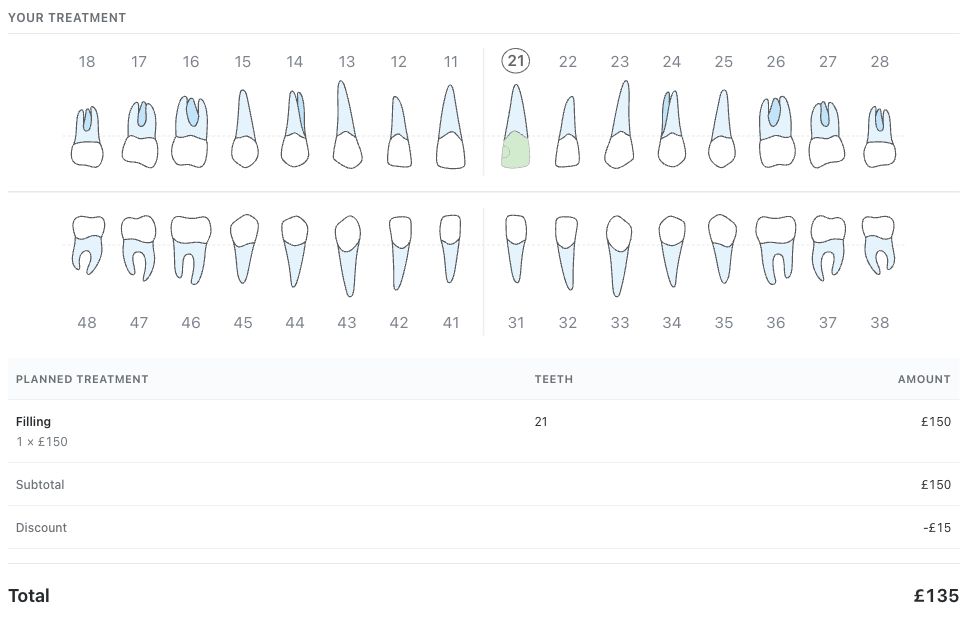
A change to the treatment or pricing of an approved plan drops the doctor's approval and returns the plan to Draft. The patient keeps seeing the earlier version until the corrected plan is approved and shared again. A team member who knows this can explain why the patient sees a different total, instead of treating the difference as a portal problem.
The workflow should help both sides understand whether they are reviewing a current proposal or waiting for a revision. Useful guidance links the staff action to the patient’s experience rather than describing the buttons in isolation.
Measure clarity, not pressure
To see whether this works in your clinic, look at what patients can find and reach: whether they open the current plan, whether their questions get a reply, and how long the first reply takes. Count only what your clinic's data rules allow.
Accepting a plan is a care decision. Treating it like a sign-up conversion puts pressure on patients exactly when they need time and explanation. A better first goal is a plan the patient can understand and reach, with a clear next step.
Questions & answers
What is the first improvement a clinic can make?
Choose one patient plan and follow it from preparation through review, Share with patient and the patient's questions. Look for a step with no owner or no visible result.
Which Medquote guide explains the difference between sending and sharing?
Read the guide on Send to patient and Share with patient, then the guide on updating an approved plan and sharing the corrected version.
Open a plan in your clinic workspace
Sign in through your clinic’s workspace address, then open the patient record and the intended plan. Ask your clinic administrator for the workspace address or permission if needed.
Was this helpful?
Your feedback is saved on this device only.