What you’ll be able to do
A repeatable review habit for teams using plan templates.
Repeat the structure, assess the patient
Templates are useful when a team repeatedly builds a similar sequence of planned work. They can capture order, markers and grouped steps so the next editor does not begin from an empty plan. The patient’s chart and assessment still belong to the new case.
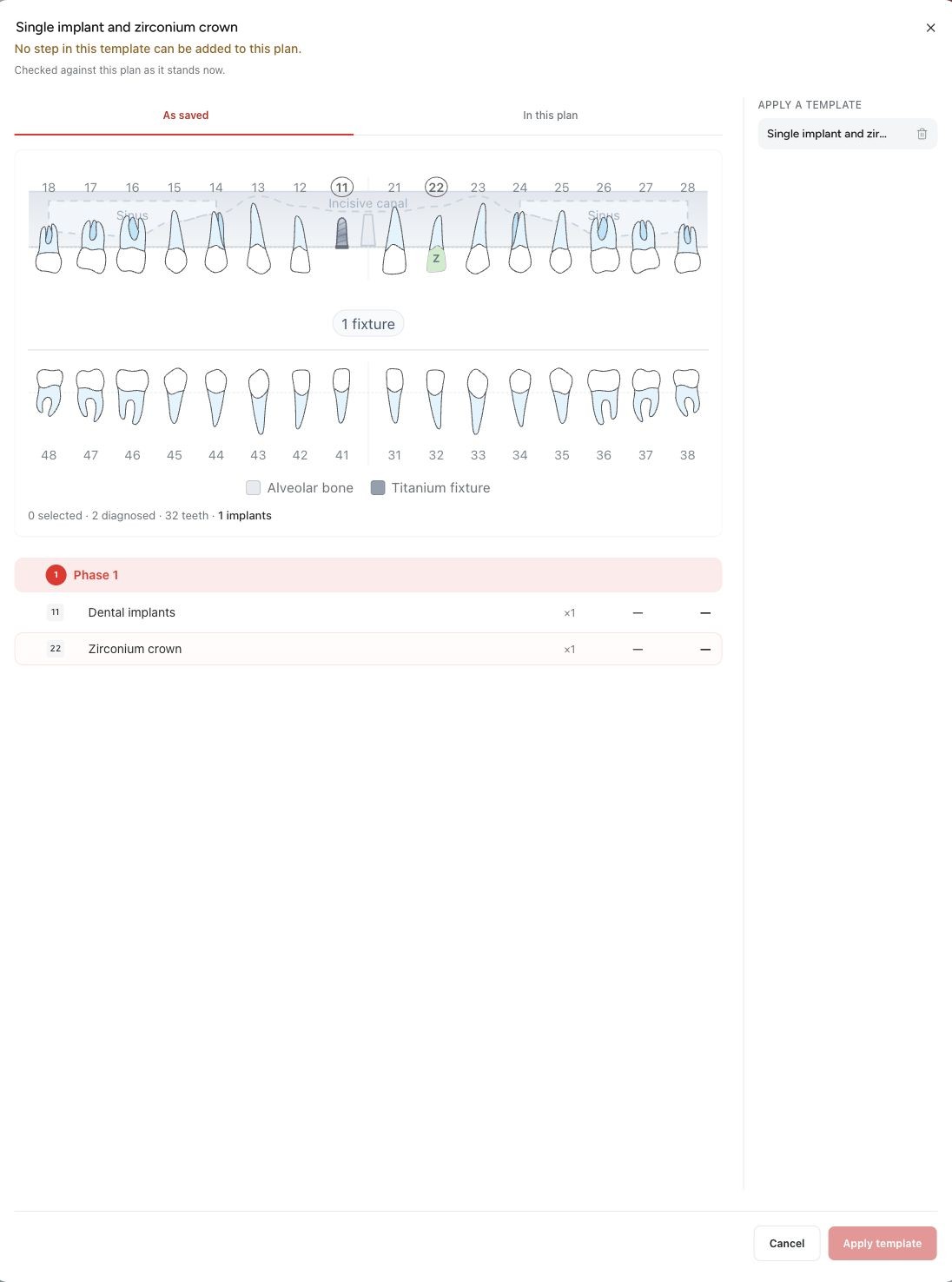
Medquote's template preview shows the source chart as it was saved. Applying the template adds treatment steps; it does not replace the new patient's diagnosis. That matters for anyone who sees a familiar full-arch arrangement in the preview.
A preview is a review surface
The right question is not whether the template can be copied. It is what will actually land on this plan. Some rows can be skipped because the target state or jaw occupancy makes them unsuitable. Grouped protocol rows also have their own application rules.
Read the preview’s additions and skipped rows, then inspect the actual resulting plan. A preview is advisory: another edit between preview and application can change the outcome. The final rows are the result the clinician will review.
Currency makes the comparison more important
Treatment-linked rows take the target plan's current prices. Rows with no treatment link keep their stored amounts and take the target plan's currency without conversion. A template is therefore not a promise that every amount has been converted as you expect.
Compare the row amounts and total in the target currency before approval. A short clinic checklist can cover the diagnosis, rows added, rows skipped, phases and prices. That is more useful than assuming a successful apply means the quote is finished.
Improve the template when the pattern changes
A template belongs to the person who saved it: each person sees only their own templates, and Medquote has no clinic-wide template library. Treat a template as a personal starting point, and agree as a team how to keep shared patterns consistent.
As the catalogue or the team’s workflow changes, review the saved structure again. The most effective template saves repetitive editing while making patient-specific differences easier to notice.
Questions & answers
Does a saved template copy the diagnosis into another patient?
No. Applying a template writes treatment steps. The saved chart appears in the preview but does not become the new patient's diagnosis.
Is every template shared across the clinic?
No. Templates belong to the person who saved them, and each person sees only their own.
Open a plan in your clinic workspace
Sign in through your clinic’s workspace address, then open the patient record and the intended plan. Ask your clinic administrator for the workspace address or permission if needed.
Was this helpful?
Your feedback is saved on this device only.